

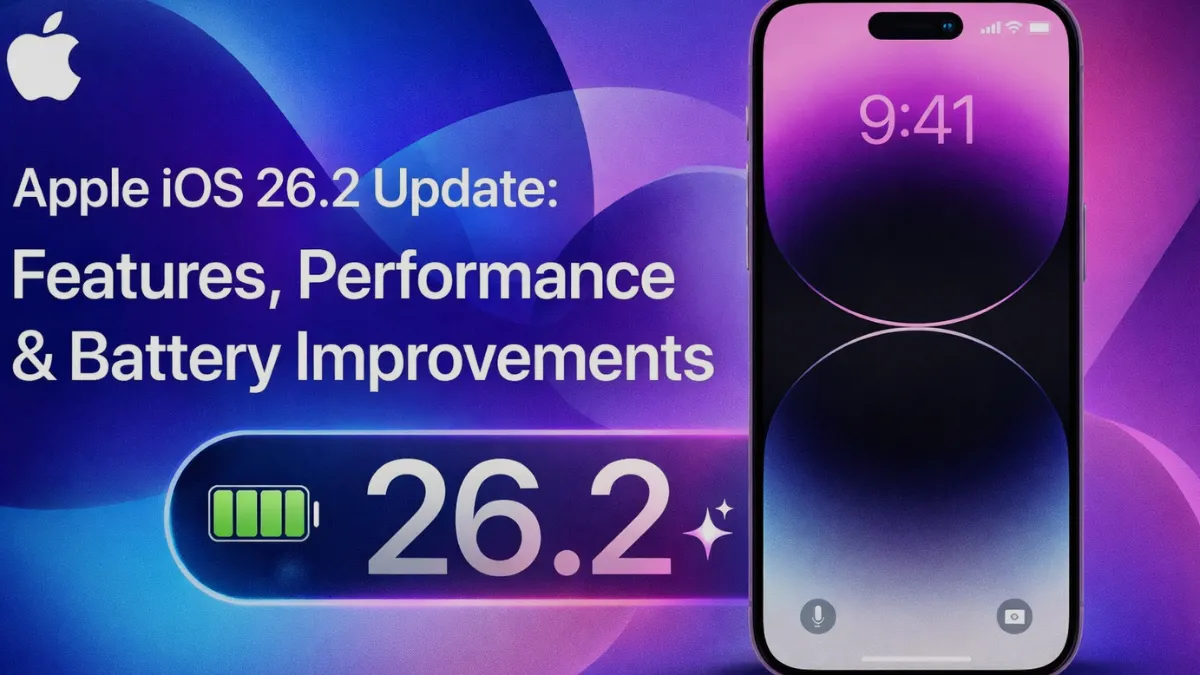
Apple continues its tradition of refining the iOS ecosystem with regular updates, and the iOS 26.2 update is shaping up to be one of the most stability-focused releases in recent years. While it may not introduce flashy design overhauls, this version brings meaningful improvements in performance, security, battery optimization, and system intelligence.
In this in-depth guide, we’ll explore everything currently known about iOS 26.2, how it affects modern iPhones, what changes users will notice, and why this update matters for Apple’s long-term software strategy.
What Is Apple iOS 26.2?
iOS 26.2 is a point update designed to enhance the core experience of Apple’s mobile operating system. Unlike major releases, point updates typically focus on:
Fixing bugs from previous versions
Improving system stability
Enhancing battery life
Strengthening privacy and security
Optimizing new hardware compatibility
Apple has increasingly used these updates to quietly roll out AI-powered background improvements, and iOS 26.2 follows this trend.
Performance Improvements and Speed Optimization
One of the standout benefits reported in early testing is smoother system performance. Apple has optimized background processes, app memory allocation, and animation rendering.
Key performance upgrades include:
Faster app launch times
Reduced frame drops during multitasking
Improved keyboard responsiveness
More stable Face ID and Touch ID behavior
Better performance on older devices
Users on iPhone 13, 14, and 15 series devices are noticing fewer micro-lags and improved overall fluidity, especially in heavy apps like video editors and mobile games.
Battery Life Enhancements
Battery management is a major focus in iOS 26.2. Apple has refined background activity monitoring to reduce unnecessary power drain.
Improvements include:
Smarter app sleep scheduling
Reduced background GPS usage
Lower power consumption in idle mode
Improved charging optimization logic
More accurate battery health reporting
These optimizations are particularly noticeable on Pro and Pro Max models with high-refresh displays.
Security and Privacy Updates
Apple remains the industry leader in mobile security, and iOS 26.2 strengthens this reputation.
New changes include:
Improved app permission auditing
Enhanced tracking prevention in Safari
Faster patching of known vulnerabilities
More detailed privacy reports for system services
Better protection against malicious configuration profiles
Apple is also quietly expanding its on-device AI security monitoring, which helps detect suspicious behavior without sending personal data to the cloud.
Camera and Media Enhancements
While not officially marketed as a camera update, iOS 26.2 brings subtle but meaningful improvements to image processing and media stability.
For users interested in photography performance, Apple’s camera software optimization pairs well with accessories like those discussed in The Ultimate Guide to iPhone 16 Pro Max Camera Protectors, which explains how hardware protection can preserve image clarity and lens performance long-term.
Video recording stability, HDR processing speed, and low-light autofocus accuracy have all seen minor refinements.
AirPods and Audio Experience Improvements
Apple has also tuned Bluetooth audio handling and spatial audio processing in iOS 26.2. These changes improve:
Connection stability
Reduced audio latency
Better spatial tracking accuracy
Improved microphone clarity during calls
This update complements Apple’s upcoming audio ecosystem evolution, including innovations discussed in Apple AirPods Pro 3: An Expert Breakdown of What Truly Matters.
AI Features Running in the Background
Although Apple avoids heavily marketing AI features, iOS 26.2 expands machine learning usage in:
Predictive text accuracy
Photo organization
Notification prioritization
Battery optimization algorithms
App usage predictions
These features work silently and gradually improve system behavior based on user habits.
Compatibility and Supported Devices
iOS 26.2 supports:
iPhone 12 series and newer
iPhone SE (3rd generation)
All devices that currently run iOS 26
Older devices still benefit from stability updates, though advanced AI features remain limited to newer chipsets.
Impact on Upcoming iPhones
This update is also strategically important for Apple’s future hardware lineup.
According to reports related to iPhone 17: Everything We Know About Apple’s Next-Gen Smartphone, iOS 26.2 introduces system-level preparations for upcoming hardware features.
Similarly, advanced thermal management and power efficiency optimizations are likely being tested for premium models discussed in Apple iPhone 17 Pro Max Release Date in USA & Cost.
Stability Improvements for iPhone 16 Series
Apple has also tuned performance specifically for the iPhone 16 lineup. With recent market fluctuations and consumer interest in pricing trends described in iPhone 16 Pro Price Drop – When to Expect Discounts, many users upgrading to newer devices will benefit directly from iOS 26.2’s stability improvements.
Why Apple Focuses on Incremental Updates
Apple’s philosophy has evolved. Instead of dramatic annual changes, the company now focuses on:
Gradual performance refinement
Long-term device longevity
User trust in system stability
Continuous security reinforcement
This strategy has helped Apple build one of the most reliable mobile ecosystems, as explored in Apple Uncovered: The Secrets Behind the World’s Most Beloved Brand.
Common Issues Fixed in iOS 26.2
Apple addressed multiple known bugs, including:
Random Bluetooth disconnects
Screen brightness glitches
Notification delays
Wi-Fi instability
Camera app freezing
App crashes after backgrounding
CarPlay connection problems
Users report noticeably fewer system crashes after installing the update.
How to Install iOS 26.2 Safely
To update:
Open Settings
Go to General → Software Update
Tap Download and Install
Ensure at least 50% battery or connect to power
Backup via iCloud or iTunes before updating
Installation typically takes 10–20 minutes.
Should You Update?
For most users: Yes.
Reasons to update:
Better battery efficiency
Improved stability
Enhanced security
Optimized performance
Compatibility with upcoming Apple hardware
Bug fixes
Unless you rely on very specific enterprise apps not yet updated, iOS 26.2 is considered safe and beneficial.
Final Thoughts
The Apple iOS 26.2 update may not dominate headlines, but it plays a critical role in keeping the iPhone ecosystem fast, secure, and reliable. By focusing on optimization rather than flashy changes, Apple continues building long-term user trust.
From battery life and security to AI-driven background improvements and upcoming device compatibility, iOS 26.2 proves that sometimes the most important updates are the quiet ones.
